
Remove broken links
Dead Facebook URLs, defunct Skype handles, links that 404. ContactOne flags the ones that no longer resolve so you can drop them.
Linkfacebook.com/deactivated
Removed - link cleared
ContactOne finds the duplicates hiding across iCloud, Google, and Exchange - a typical address book has ~15% duplicates - and merges each group into one clean record. On‑device. No upload, no account.
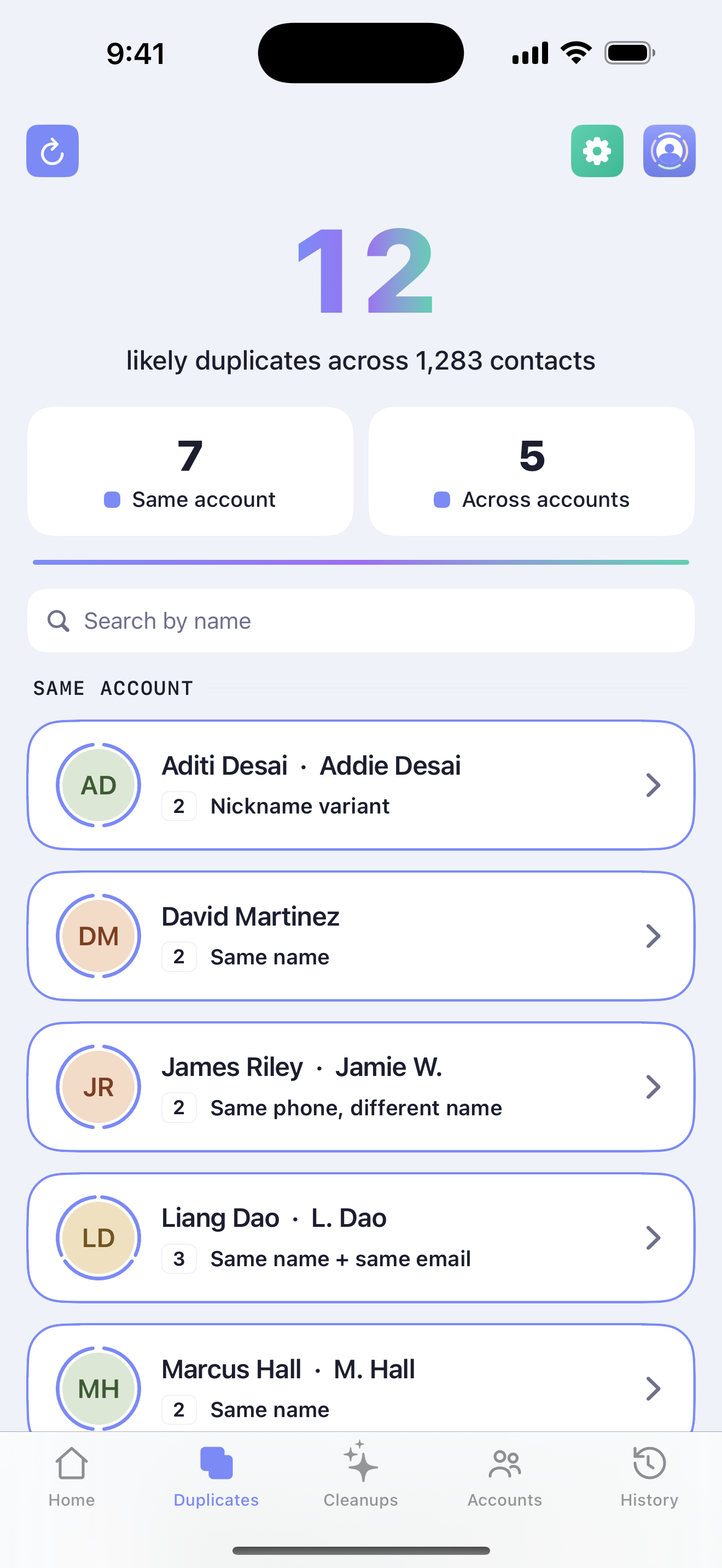
You synced iCloud. Then Google. Then Microsoft - and somewhere along the way, everyone you know quietly multiplied. ContactOne's smart matching finds the copies, even when it's the same person under a nickname, a maiden name, or a second number - and sorts them into duplicates within one account and duplicates spread across accounts, because those are two different problems.
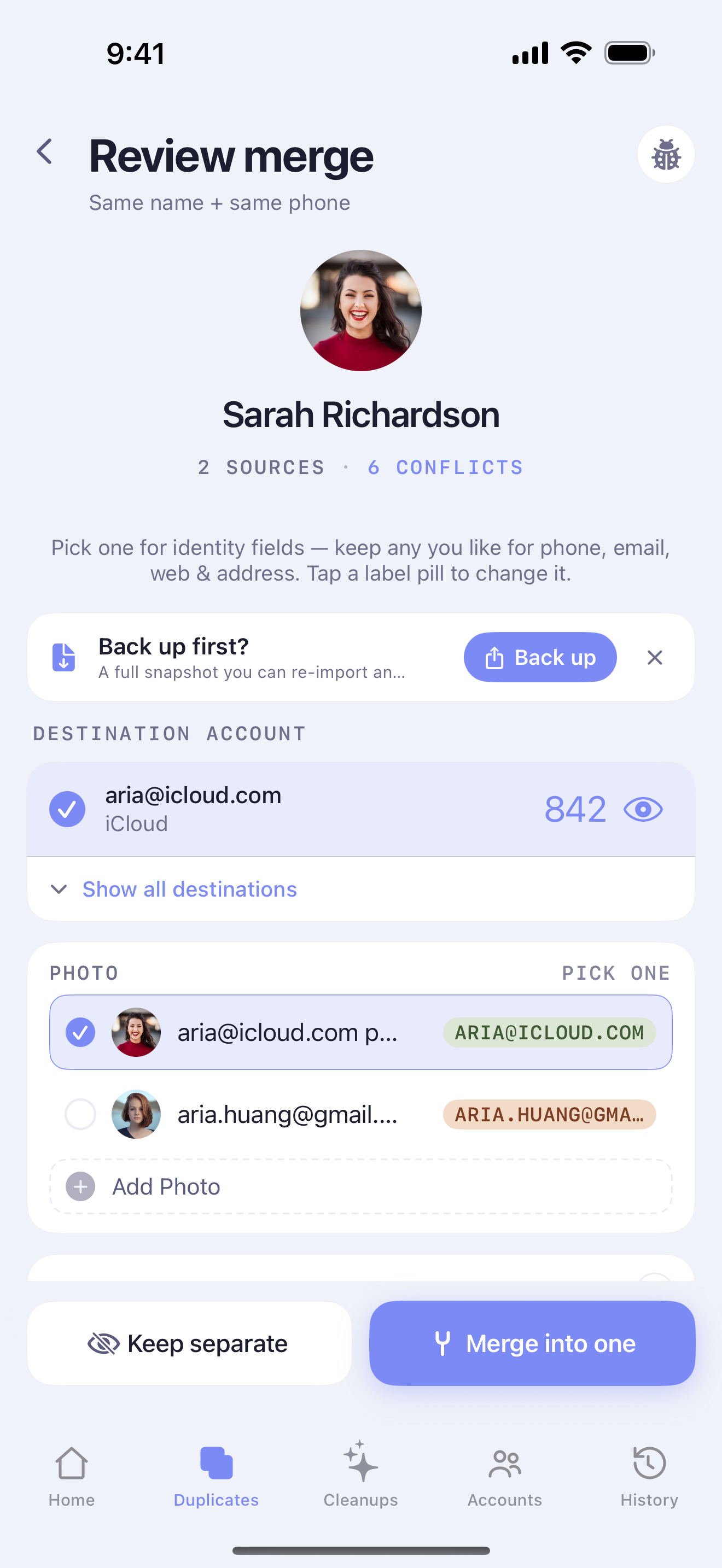
Nothing merges until you say go. ContactOne lays every phone, email, address, and label side by side so you pick the keepers with a tap. Choose which account the merged contact lands in, and every number, name, and note comes along for the ride - no discovering months later that a mobile number quietly wandered off.
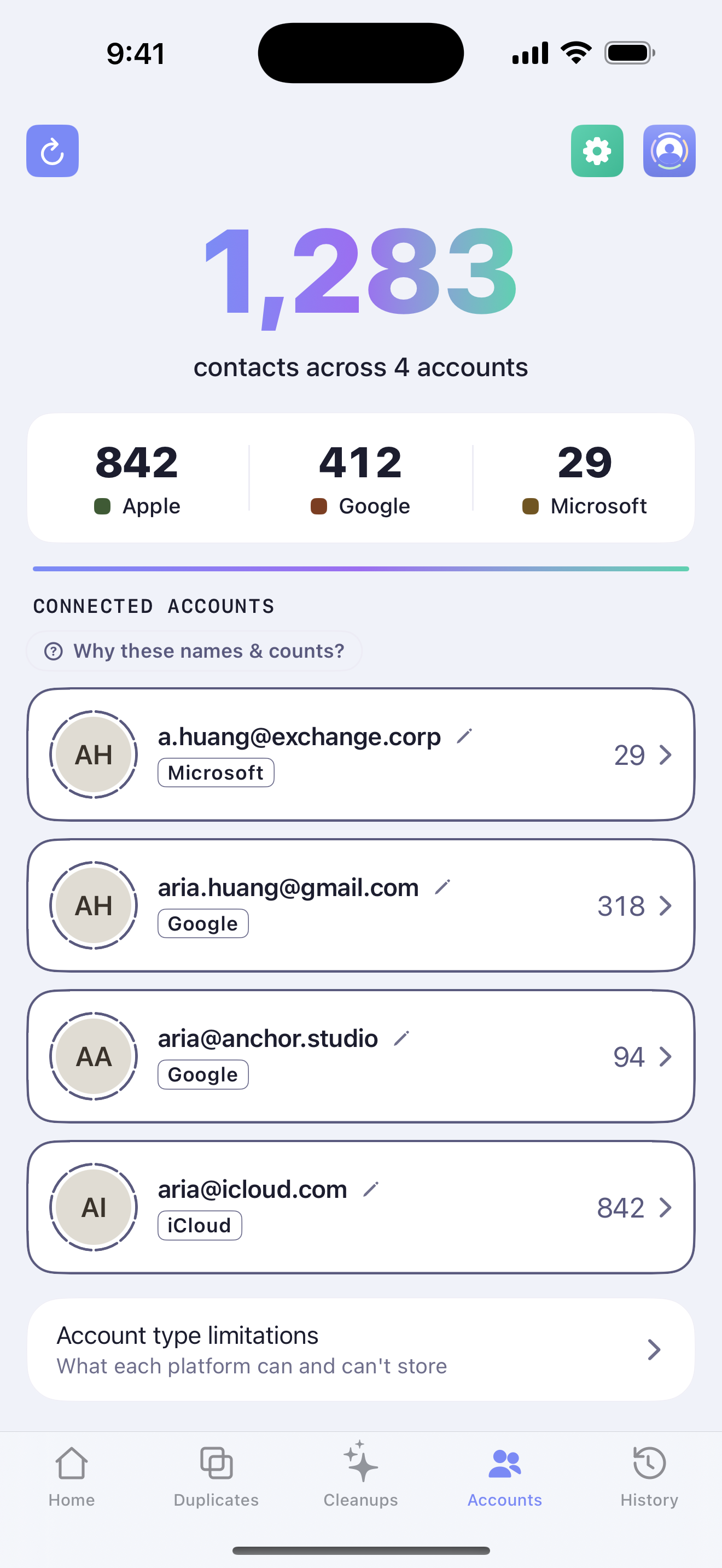
Your contacts don't live in one tidy pile - they're scattered across iCloud, Google, Microsoft, and more, each with its own quirks and rules. Lesser apps flatten them together and scramble your accounts. ContactOne knows which account each contact calls home, merges the right way, and respects what each can actually store - so everything syncs back clean.
Once the duplicates are gone, the little inconsistencies remain - a number with no country code, a SHOUTING email, a stray “Work 2” label. Cleanups gets its own tab: review what ContactOne found, apply fixes in bulk, choose which rules run, or write your own.
Dead Facebook URLs, defunct Skype handles, links that 404. ContactOne flags the ones that no longer resolve so you can drop them.
Add the country code and a leading “+” so every number is in full E.164 format - and dials correctly when you're travelling.
On by default, and always safe - email is case‑insensitive. Mixed‑case addresses collapse to clean lowercase, which also makes duplicate detection work properly.
Merge the accidental duplicates iOS creates - “Work 2”, “iPhone”, “_$!<Home>!$_” - back into clean, standard labels.
All‑caps imports and lowercase typos become proper case - while preserving names that are meant to be unusual, like “McKenzie” or “van der Berg”.
Build a rule for the quirk that's yours alone - strip a legacy prefix, standardize a company name, retag an old account. It runs on every matching contact.
This is where other apps drop the ball - and your data. ContactOne is built so a cleanup is never a gamble: every change is reversible, every original is kept, and every release is tested hard before it ships.
Every merge, cleanup, and move reverses in a single tap - even weeks later.
One tap saves a full vCard snapshot of every contact to Files, iCloud Drive, or AirDrop - re-importable anytime. Originals are kept intact regardless.
Every release ships only after passing our full test suite.
Matching and merging never leave your iPhone or iPad.